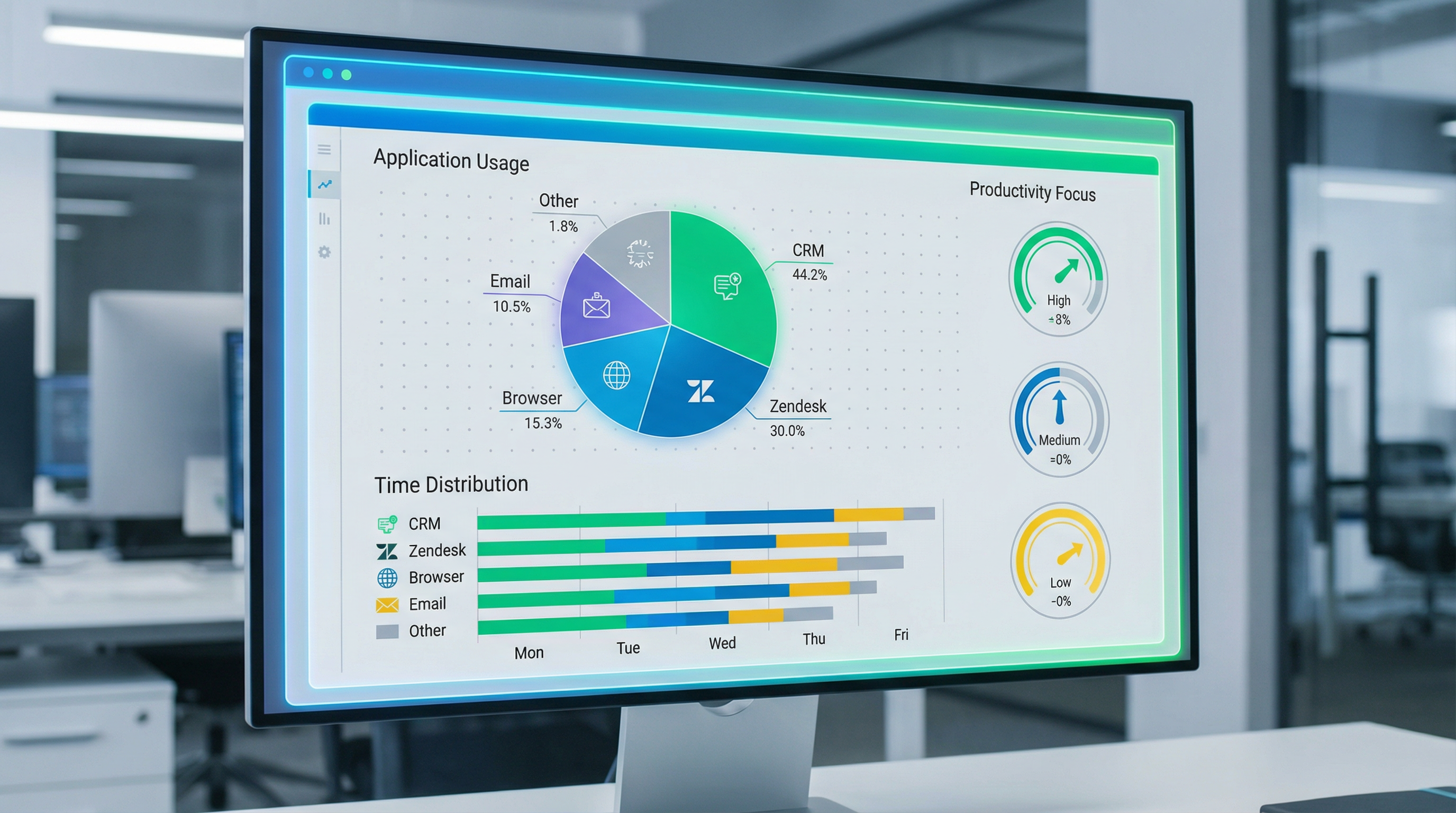
Every click, every application switch, every minute spent in different software tells a story about how agents work. HeroFocus application usage analysis transforms this data into actionable insights that help BPO managers understand not just whether agents are working, but how they're working.
Why Application Usage Matters
In modern contact centers, agents typically use multiple applications:
- CRM systems: Zendesk, Salesforce, Freshdesk
- Communication tools: Phone systems, chat platforms, email clients
- Knowledge bases: Internal wikis, documentation systems
- Productivity tools: Spreadsheets, word processors, note-taking apps
- Browsers: For research, client portals, web-based tools
The distribution of time across these applications reveals important patterns about work quality and focus.
What Healthy Application Usage Looks Like
For a typical customer service agent, healthy application usage might look like:
| Application Category | Expected Time | Purpose |
|---|---|---|
| CRM/Ticketing | 50-60% | Core work: handling customer issues |
| Communication | 20-25% | Phone calls, chat, email |
| Knowledge Base | 10-15% | Research, finding answers |
| Other Work Tools | 5-10% | Documentation, reporting |
| Non-Work | <5% | Brief breaks, personal needs |
Deviations from these patterns often indicate issues worth investigating.
Red Flags in Application Usage
1. Excessive Browser Time (Non-Work Sites) When agents spend significant time on:
- Social media platforms
- News and entertainment sites
- Shopping websites
- Personal email
This clearly indicates focus problems that need addressing.
2. Low CRM/Ticketing Time Agents who spend less time in core work applications may be:
- Avoiding difficult tasks
- Struggling with the system
- Not receiving enough work assignments
- Distracted by other activities
3. Excessive Knowledge Base Time While research is important, too much time in documentation might indicate:
- Insufficient training
- Complex processes that need simplification
- Agents using research as avoidance behavior
- Knowledge gaps that need addressing
4. Unusual Application Patterns Applications that shouldn't be used during work hours:
- Gaming platforms
- Streaming services
- Job search websites
- Personal productivity tools
Using Application Data for Improvement
Training Needs Identification If many agents spend excessive time in knowledge bases for similar topics, it indicates training gaps. HeroFocus can identify:
- Common search patterns
- Frequently accessed documentation
- Topics where agents struggle
Process Optimization Application switching patterns reveal workflow inefficiencies:
- Too many systems required for simple tasks
- Frequent context switching that reduces productivity
- Missing integrations that force manual data transfer
Tool Evaluation Usage data helps evaluate software investments:
- Are expensive tools actually being used?
- Which features get the most use?
- Where do agents spend time waiting for systems?
Case Study: Discovering a Focus Problem
A BPO manager noticed that one team had lower customer satisfaction scores despite similar ticket volumes. HeroFocus application analysis revealed:
- Team A (high CSAT): 65% CRM time, 20% communication, 10% knowledge base
- Team B (low CSAT): 45% CRM time, 15% communication, 25% browser (non-work), 15% other
The data showed Team B agents were spending significant time on non-work websites, leading to rushed customer interactions. Targeted coaching and clearer expectations improved both focus and customer satisfaction.
Implementing Application Monitoring Ethically
Transparency Agents should know which applications are tracked and why. Surprise monitoring damages trust.
Focus on Patterns, Not Policing The goal is understanding work patterns, not catching every personal email check. Brief personal use is normal and healthy.
Use Data for Support, Not Punishment Application data should primarily drive training, process improvement, and resource allocation — not disciplinary action.
Protect Privacy HeroFocus tracks application names and time, not content. Personal information remains private.
Conclusion
Application usage analysis provides a window into how agents actually work, revealing focus problems, training needs, and process inefficiencies that other metrics miss. By understanding not just how much agents work, but how they work, BPO managers can make targeted improvements that boost both productivity and job satisfaction.